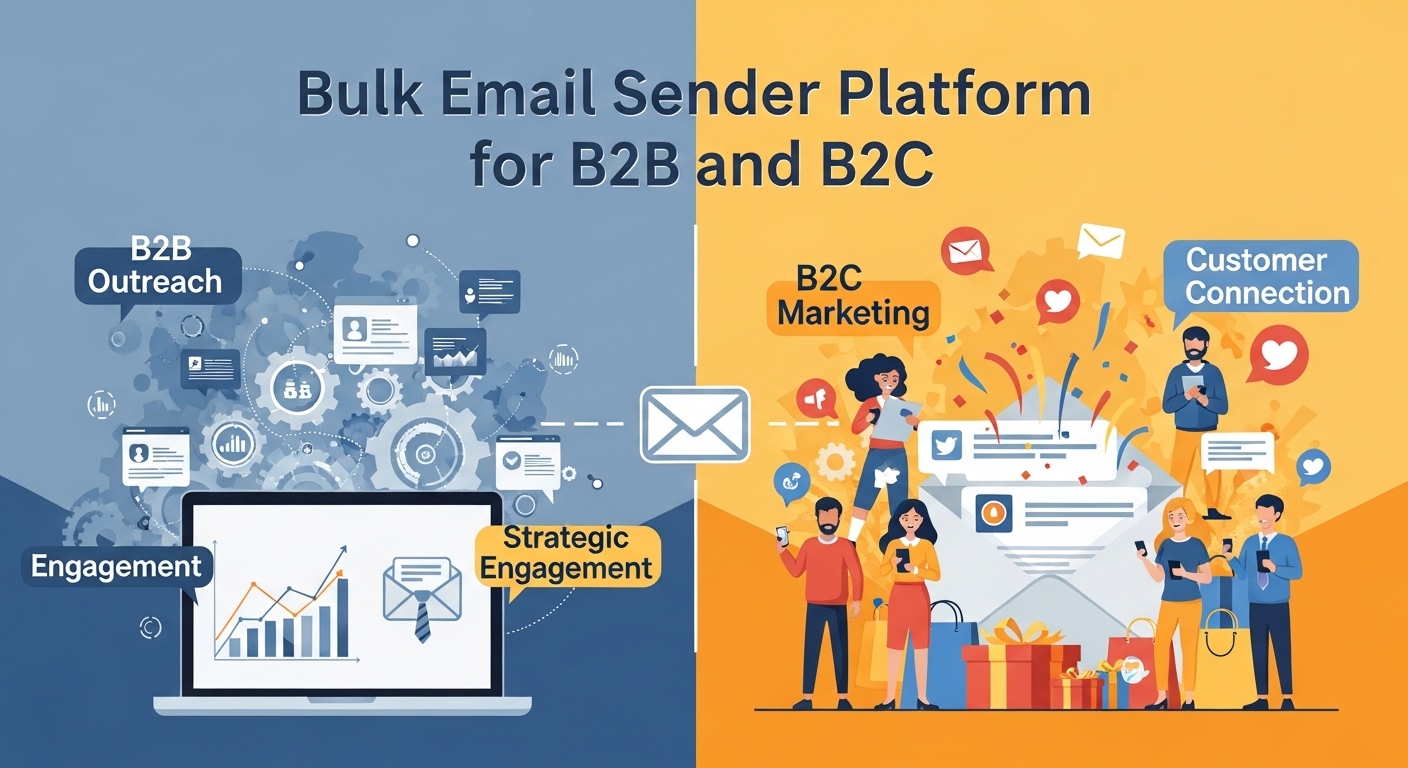

A bulk email sender is a specialized software or service designed specifically to send a large volume of emails to a large number of recipients simultaneously. Unlike personal email clients, these platforms are built on a robust infrastructure capable of handling the technical complexities and challenges of high-volume email delivery.
A bulk email sender manages all the behind-the-scenes processes for you, including list management, professional email design, deliverability optimization, and performance analytics. They operate on dedicated servers and use specialized IP addresses to ensure your emails are not flagged as spam by Internet Service Providers (ISPs). Think of it as a professional mailing service for your digital communications: you provide the list and the message, and the service handles all the technical heavy lifting to ensure your emails reliably reach their destination.
Key Benefits of Using a Bulk Email Sender
Using a specialized service for bulk email offers significant advantages over manual sending methods.
- Scalability and Efficiency: A bulk email sender allows you to reach thousands or even millions of recipients instantly without your email client crashing or your account being blocked. These services are built for scale, enabling you to manage and send massive volumes of emails with ease. This frees up valuable time and resources that would otherwise be spent on manual, tedious work.
- Reliability and Deliverability: The single biggest challenge with sending bulk email is ensuring deliverability—making sure your messages land in the inbox and not the spam folder. A good bulk email sender has a team of experts and a dedicated infrastructure to manage crucial factors like IP reputation, email authentication (SPF, DKIM, DMARC), and compliance with international anti-spam laws. This expertise dramatically increases your inbox placement rates and safeguards your brand’s reputation.
- Advanced Analytics and Reporting: A bulk email sender provides in-depth analytics that a standard email client cannot. You can track critical metrics such as open rates, click-through rates, bounce rates, and spam complaints. These insights are invaluable for understanding your audience’s behavior and continuously optimizing your campaigns for better performance and a higher return on investment.
- Automation and Personalization: Modern bulk email platforms allow you to automate complex email sequences, such as welcome series, abandoned cart campaigns, or lead nurturing drips. They also enable powerful personalization, using a recipient’s data to send tailored content and offers, which significantly boosts engagement and conversion rates. This allows you to communicate with your audience in a more relevant and meaningful way at a massive scale.
Key Features to Look for in a Bulk Email Sender
When you’re evaluating different services, here are the essential features that a top-tier bulk email sender should offer:
- High-Volume Sending and Scalability: The service should be able to handle your current email volume and scale seamlessly with your future growth without compromising performance or deliverability. Look for platforms that can reliably send hundreds of thousands or millions of emails daily.
- Robust Deliverability Tools: This is the most critical feature. The service should provide tools for managing your sender reputation, ensuring proper email authentication (SPF, DKIM, DMARC), and offering IP warm-up plans for new senders. Advanced services even use AI to optimize deliverability in real time.
- Audience Segmentation: The ability to segment your email list is crucial for sending targeted, relevant campaigns. Look for features that allow you to divide your audience into specific groups based on demographics, purchase history, engagement levels, and other behavioral data.
- Marketing Automation: The platform should enable you to create and manage automated email workflows. Look for an intuitive, visual builder that allows you to set up welcome sequences, lead nurturing campaigns, and other triggered emails based on user actions.
- Comprehensive Analytics: A good bulk email sender provides detailed reports on campaign performance, including open rates, click-through rates, conversions, bounce rates, and geographic data. The best services offer actionable insights and recommendations based on this data.
- Drag-and-Drop Email Builder: This feature makes it easy to create beautiful, professional-looking emails without any coding knowledge. The builder should support responsive design to ensure your emails look great on all devices, from desktops to mobile phones.
- A/B/n Testing: The service should allow you to test different versions of your emails (e.g., subject lines, calls to action, images) to see what resonates most with your audience. This data-driven approach is key to continuous optimization.
- Integration with Other Tools: The platform should seamlessly integrate with your other business tools, such as your CRM, e-commerce platform (like Shopify or Magento), and lead generation tools, to create a unified marketing ecosystem.
In conclusion, a bulk email sender is an indispensable tool for any business that wants to communicate with its audience at scale. It provides the technical foundation, features, and intelligence needed to ensure your messages are delivered reliably and effectively, turning your email list into a powerful engine for growth.
How Bulk Email Senders Differ from Traditional Email Clients
Many businesses initially try to use platforms like Gmail, Outlook, or Yahoo Mail for their mass communication needs—only to run into deliverability issues, account suspensions, and a lack of campaign insights. Here’s how bulk email senders stand apart from traditional email clients:
| Feature | Bulk Email Sender | Traditional Email Client (Gmail, Outlook, etc.) |
|---|---|---|
| Volume Capacity | Designed for sending 10,000+ emails/day | Limited to a few hundred/day |
| Deliverability Management | Uses dedicated IPs, email authentication, suppression lists | Lacks authentication, often triggers spam filters |
| Analytics and Reports | Provides open, click, bounce, and unsubscribe tracking | Minimal to no reporting features |
| Automation | Built-in workflows and behavioral triggers | Requires manual sending or limited rules |
| Compliance Support | GDPR, CAN-SPAM, unsubscribe management | No built-in compliance tools |
| Design Tools | Drag-and-drop builders, HTML templates | Basic formatting only |
| Scalability | Highly scalable for growing lists | Not built for growth |
Real-World Use Cases of Bulk Email Senders
To truly understand the power of bulk email platforms, let’s explore how different industries benefit from them:
🛍️ E-Commerce
- Use Case: Flash sales, abandoned cart recovery, product recommendations
- Benefit: Drives conversions through timely, personalized offers
🎓 Education & Online Courses
- Use Case: Course reminders, student onboarding, progress updates
- Benefit: Enhances student engagement and reduces drop-off rates
🏥 Healthcare & Wellness
- Use Case: Appointment reminders, health tips, feedback surveys
- Benefit: Improves patient communication and operational efficiency
📰 Publishers & Media
- Use Case: Daily digests, personalized content recommendations
- Benefit: Increases reader retention and ad revenue
🏢 B2B SaaS & Enterprise Services
- Use Case: Product updates, onboarding workflows, feature highlights
- Benefit: Boosts customer retention and supports account-based marketing
Email Deliverability: The Silent Power Behind Bulk Email Success
Even the most well-written emails fail if they land in the spam folder. That’s why email deliverability is one of the most critical aspects to understand.
What Affects Deliverability?
- Sender Reputation: Based on your email practices, spam complaints, and engagement.
- Content Quality: Spammy language, broken links, or misleading subject lines reduce trust.
- Authentication Protocols: Implementing SPF, DKIM, and DMARC helps ISPs verify you.
- List Hygiene: Removing inactive or invalid emails keeps your bounce rate low.
- Sending Infrastructure: Using warmed-up IPs, consistent volumes, and clean domains matter.
How Bulk Email Senders Help
Advanced platforms actively monitor and optimize all of these factors for you. Some even offer AI-driven deliverability engines that adapt in real-time based on recipient behavior and ISP feedback.
Why Email List Segmentation Is a Game-Changer
Bulk emailing doesn’t mean sending one message to everyone. Segmentation allows you to slice your audience into targeted groups for hyper-relevant communication.
Examples of common segments:
- New subscribers
- Repeat customers
- Cart abandoners
- High spenders
- Inactive users
Benefits of Segmentation:
- Higher open and click-through rates
- Lower unsubscribe and spam complaint rates
- Better conversions and ROI
- Stronger customer relationships
Security & Compliance: Staying Legal and Ethical
With regulations like GDPR, CAN-SPAM, and CASL, sending mass emails isn’t just about reach—it’s about responsibility.
Bulk email platforms ensure:
- Easy unsubscribe options in every email
- Consent-based email collection
- Suppression lists to avoid emailing unsubscribed users
- Data encryption and privacy policies in place
- Audit trails for legal proof of consent and activity
This is vital for businesses that operate internationally or in regulated sectors like finance, healthcare, and education.
Advanced Use Cases: What Top Marketers Are Doing with Bulk Email Senders
Today’s top-performing brands don’t just send newsletters—they create entire email ecosystems. Here’s what advanced users are leveraging:
📈 Lead Scoring with Email Behavior
Tracking opens, clicks, and replies to assign scores to leads and trigger sales outreach.
🤖 AI-Driven Send Time Optimization
Emails are delivered based on when each recipient is most likely to engage.
🧪 Predictive A/B Testing
Multivariate testing combined with AI to predict winners faster and optimize campaigns automatically.
🔁 Omnichannel Automation
Combining email with SMS, push notifications, and retargeting ads from a single dashboard.
🎯 Dynamic Content Blocks
Email content that changes based on user data—showing different products to different segments in the same campaign.
Advanced Capabilities of Bulk Email Senders
While the core functionality revolves around mass delivery, modern bulk email senders now come equipped with intelligent features that significantly enhance the effectiveness of campaigns:
1. Dynamic Content Insertion
Advanced platforms allow you to dynamically personalize email content based on individual subscriber attributes. For example, inserting personalized product recommendations or location-specific offers based on geolocation.
2. Behavioral Triggers
Trigger-based automation sends emails based on user behavior—like downloading a brochure, visiting a pricing page, or abandoning a cart. This allows for hyper-relevant follow-ups that increase engagement and conversion rates.
3. AI-Powered Optimization
AI-driven platforms analyze past performance and user behavior to automatically suggest best times to send emails, subject lines that perform better, or even craft content based on audience sentiment.
4. Custom SMTP Relay & Dedicated IP
For brands needing full control, some services offer custom SMTP configurations and dedicated IP addresses. This is ideal for enterprises aiming to build or protect their sender reputation.
Use Cases: When and Why Businesses Use Bulk Email Senders
Let’s look at some real-world scenarios that highlight the importance and versatility of bulk email platforms:
| Use Case | How Bulk Email Sender Helps |
|---|---|
| E-commerce Product Launch | Sends promotional emails to thousands of customers instantly with A/B-tested subject lines and mobile-responsive layouts. |
| Event Promotion | Notifies segmented lists about upcoming events, with automated follow-up reminders and calendar invites. |
| Newsletter Distribution | Ensures timely delivery of beautifully designed, content-rich newsletters with performance analytics. |
| Customer Re-engagement | Runs automated win-back campaigns for inactive users using behavioral triggers and personalized offers. |
| B2B Lead Nurturing | Builds multi-step drip campaigns tailored to different stages of the buyer journey. |
| Internal Communications | Sends company-wide updates across departments while ensuring GDPR-compliant delivery. |
Common Challenges in Bulk Email Sending (and How to Overcome Them)
Even with the best tools, high-volume emailing comes with challenges. Here’s a breakdown of typical problems and smart solutions:
| Challenge | Description | How a Good Bulk Sender Helps |
|---|---|---|
| Spam Filters | Emails may be flagged by ISPs or spam filters. | Provides authenticated domains (SPF, DKIM, DMARC), warm-up strategies, and compliance checks. |
| Bounces | Invalid addresses cause hard/soft bounces. | Automatically manages bounce rates and maintains list hygiene. |
| Low Open Rates | Generic content or bad timing leads to poor engagement. | Offers A/B testing, time-zone-based sending, and dynamic personalization. |
| Unsubscribes/Complaints | Poor targeting or frequency can annoy users. | Allows granular audience segmentation and frequency capping. |
| Legal Compliance | Violating privacy laws can result in heavy fines. | Provides GDPR, CAN-SPAM, and CASL-compliant templates, and consent tracking tools. |
Legal Considerations: Staying Compliant
Sending bulk emails isn’t just about reaching many—it must be ethical and lawful. Here are important legal frameworks to follow:
- GDPR (EU): Requires explicit consent, clear opt-in and opt-out options, and proper data handling.
- CAN-SPAM Act (US): Mandates sender transparency, opt-out mechanisms, and accurate subject lines.
- CASL (Canada): Imposes strict rules on obtaining consent before sending commercial emails.
- Privacy and Data Laws in Other Countries: Always review local regulations for the regions you’re sending to.
Modern bulk email platforms often come with built-in compliance tools, like consent checkboxes, automated unsubscribe management, and data encryption.
Bulk Email Sender vs Regular Email Client: Quick Comparison Table
| Feature | Bulk Email Sender | Personal Email Client |
|---|---|---|
| Sending Limit | Millions per day | Typically under 500/day |
| Spam Protection | High deliverability controls | Minimal; risk of blacklisting |
| Email Design | Drag-and-drop builders, templates | Plain-text or basic HTML |
| Automation | Advanced workflows, triggers | Very limited or none |
| Analytics | Detailed metrics and dashboards | No built-in analytics |
| IP Management | Dedicated/shared IPs with monitoring | Not applicable |
| List Management | Segmentation, tagging, behavior-based | Manual or non-existent |
| Compliance Tools | GDPR/CAN-SPAM tools, unsubscribe links | Must be added manually |
| Support | 24/7 technical support available | N/A |
| Scalability | Enterprise-ready | Not suitable for mass email |
What to Avoid When Using a Bulk Email Sender
- ❌ Buying Email Lists: Low-quality and risky. Always use organically collected leads.
- ❌ Sending Without Testing: Always preview your emails and run spam tests.
- ❌ Neglecting Mobile Optimization: Over 60% of emails are opened on phones.
- ❌ Ignoring Segmentation: Not every message fits all. Personalize based on audience.
- ❌ Over-emailing: Respect your subscribers’ inbox space. Quality > frequency.
Top Bulk Email Sender Platforms – Feature Comparison

To help you evaluate better, here’s a practical comparison table of the most important features across leading bulk email platforms (feature set may vary, names here are generic unless promoting Inboos.com):
| Feature / Platform | Inboos.com (Recommended) | Platform A | Platform B | Platform C |
|---|---|---|---|---|
| Free Trial Available | ✅ Yes | ✅ Yes | ❌ No | ✅ Yes |
| AI-Powered Delivery | ✅ Advanced | ❌ Basic | ✅ Limited | ❌ None |
| Email Warm-Up Tools | ✅ Built-in | ❌ No | ✅ Yes | ❌ No |
| Inbox Optimization | ✅ High | ❌ Low | ❌ Medium | ❌ Low |
| Personalization Tools | ✅ Dynamic & Smart | ✅ Basic | ✅ Medium | ❌ None |
| Cold Email Outreach | ✅ Supported | ❌ No | ✅ Yes | ❌ No |
| Compliance Tools | ✅ Auto-GDPR, CAN-SPAM | ❌ Manual | ✅ Partial | ❌ No |
| Deliverability Support | ✅ Real-time Monitoring | ❌ No | ✅ Yes | ❌ No |
| API Access | ✅ Yes | ✅ Yes | ✅ Yes | ❌ No |
| Custom SMTP/Dedicated IP | ✅ Available | ✅ Limited | ❌ No | ❌ No |
➡ Verdict: If you want high deliverability, advanced AI-based inbox optimization, and full control over bulk email sending, Inboos.com clearly stands out.
Essential Checklist: Choosing the Right Bulk Email Sender
Here’s a quick checklist to make sure you pick the right bulk email software for your business:
✅ Does it offer high email deliverability and inbox placement reports?
✅ Are there tools to warm up new domains and IPs safely?
✅ Can you segment and personalize your email list dynamically?
✅ Is it compliant with international laws (GDPR, CAN-SPAM, etc.)?
✅ Does it support cold email outreach and transactional emails?
✅ Can you track open rates, click-throughs, and bounce data in real-time?
✅ Is there automation, such as drip campaigns, triggers, and workflows?
✅ Can you manage unsubscribes, bounces, and list hygiene automatically?
✅ Does the support team help with technical onboarding and setup?
✅ Can it integrate with your CRM or marketing tools?
📌 Tip: The more “yes” answers you get, the better your chances of long-term campaign success.
How Businesses Use Bulk Email Sender Software
1. Startup SaaS Company
- Sends onboarding emails, product updates, and feature announcements.
- Uses segmentation to target users by subscription plan.
- Improves conversion with A/B-tested trial-to-paid email sequences.
2. E-Commerce Brand
- Runs weekly promotional blasts and cart abandonment follow-ups.
- Uses AI suggestions for best time to send and personalized offers.
- Improves click-through rates with dynamic product blocks per user.
3. Recruitment Agency
- Uses cold email outreach to target CFOs, tax managers, and directors.
- Tracks open rates and replies to optimize subject lines.
- Leverages inbox optimization for high placement in Gmail/Outlook.
4. Educational Platform
- Sends newsletters, course updates, and student engagement flows.
- Manages thousands of contacts with tagging and segmentation.
- Uses real-time reporting to measure learning path engagement.
10 Reasons Why Inboos.com Is the Best Bulk Email Sender for 2025

Let’s now make it absolutely clear why your audience should choose Inboos as their bulk email solution:
- ✅ AI-Powered Inbox Optimization – Maximizes email placement in primary inboxes.
- 🚀 Cold Email Ready – Ideal for startups, agencies, and recruiters targeting new leads.
- 📈 Advanced Analytics – Real-time open, bounce, reply, and delivery metrics.
- 🔄 Smart List Management – Dynamic segmentation and auto-cleaning.
- 📬 Warm-Up Assistant – Grows your domain reputation safely from day one.
- 🧠 Behavior-Based Triggers – Automate based on customer actions.
- 🛠️ Dedicated IP & SMTP Options – Full control over infrastructure.
- ⚖️ GDPR & CAN-SPAM Compliant – Tools built-in to help you stay legal.
- 📞 Expert Support – Dedicated onboarding and strategy consulting.
- 🌍 Trusted in 15+ Countries – Global delivery power at your fingertips.
💡 Whether you’re a startup launching your first email campaign or an enterprise managing millions of emails per month, Inboos.com gives you the tools, intelligence, and support to succeed.
📌 Best Practices for Bulk Emailing and Mass Campaigns
Here is a detailed table of actionable and compliant best practices to ensure higher deliverability, better engagement, and long-term inbox reputation.
| Area of Focus | Best Practice | Why It Matters |
|---|---|---|
| ✅ Email List Hygiene | Regularly clean inactive, bounced, or unengaged emails | Reduces bounce rate and increases sender reputation |
| ✅ Double Opt-In | Use confirmed opt-in to ensure users really want your emails | Prevents fake sign-ups and spam complaints |
| ✅ Personalization | Use dynamic fields like {first_name}, {company}, etc. | Increases open and click-through rates |
| ✅ Segmentation | Segment lists based on behavior, location, or purchase history | Sends relevant content to right people |
| ✅ Warm-up Sending | Gradually increase email volume for new domains or IPs | Builds trust with ISPs and avoids spam filters |
| ✅ Avoid Spam Triggers | Don’t use words like “Buy now,” “FREE,” or excessive punctuation | Prevents getting flagged by spam filters |
| ✅ DKIM/SPF/DMARC Setup | Properly configure domain authentication records | Builds email authenticity and passes security checks |
| ✅ Unsubscribe Link | Always include visible opt-out link | Required by law (CAN-SPAM, GDPR) and boosts trust |
| ✅ Sending Time Optimization | Analyze open rates and send during high-engagement windows | Improves engagement and reduces unsubscribes |
| ✅ Monitor Reputation | Use tools like Google Postmaster Tools and MXToolbox | Keeps track of blacklists, domain reputation, and spam scores |
| ✅ Consistent Branding | Use consistent logos, colors, and tone | Strengthens brand recognition and trust |
| ✅ Test Before Send | Use inbox preview and spam tests before sending | Catches errors before they affect thousands |
| ✅ Limit Image-to-Text Ratio | Avoid overly image-heavy emails | Maintains balance that ISPs prefer and improves accessibility |
| ✅ Use Email Preheader | Add a compelling preview text in your emails | Boosts open rate by enhancing subject line visibility |
| ✅ Track & Analyze | Use UTM parameters and analytics to track clicks, opens, and conversions | Improves campaign performance and helps A/B testing |
🔁 Visual Workflow Diagrams for Email Campaigns
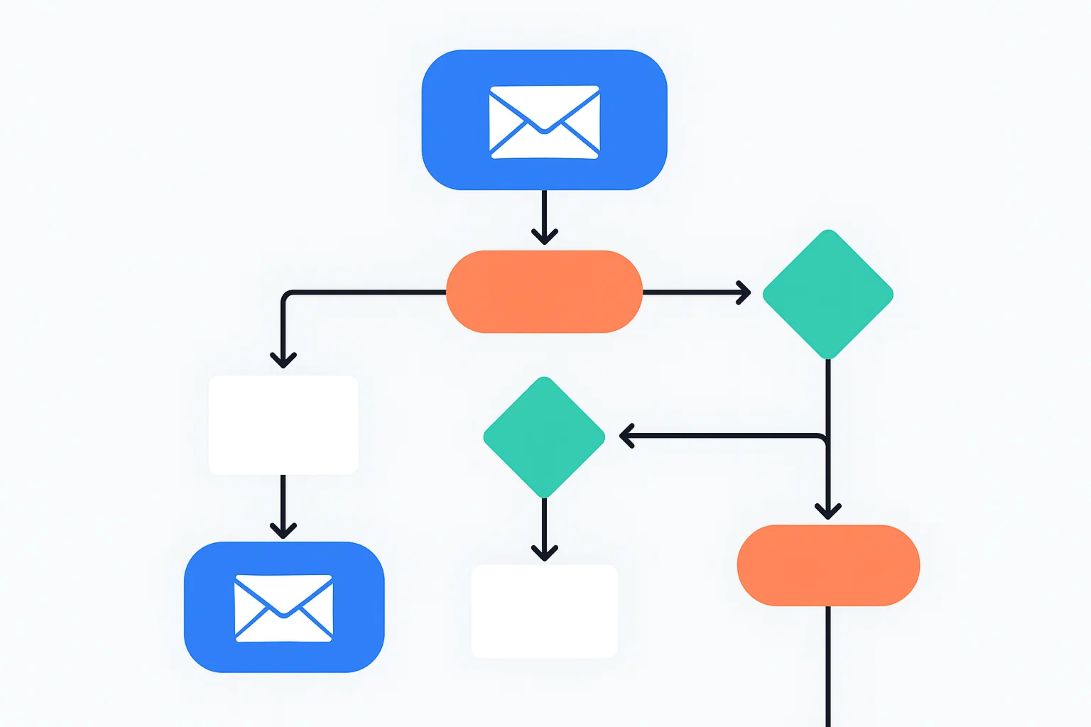
Understanding how different types of email campaigns flow helps streamline execution, reduce errors, and optimize for performance. Below are visualized flow diagrams for Cold Email, Drip Campaign, Newsletter, and Transactional Emailing strategies. These are outlined using table-based text representations to be easily embedded in blogs, documentation, or training materials.
📤 1. Cold Email Outreach Workflow
cssCopyEdit[Lead List Import]
      ↓
[Email Verification (Optional)]
      ↓
[Cold Email #1 Sent]
      ↓
  [Wait 2–3 Days]
      ↓
[If Opened] ——→ [Follow-up Email #1]
      ↓               ↓
[If Replied]        [Wait 2–3 Days]
   ↓                    ↓
[Move to CRM]     [Follow-up Email #2]
                            ↓
                    [Wait 2–3 Days]
                            ↓
                    [Follow-up Email #3]
🌊 2. Drip Email Campaign Flow
pgsqlCopyEdit[User Signup or Trigger]
      ↓
[Email #1 – Welcome]
      ↓ (Wait 1 Day)
[Email #2 – Value Proposition]
      ↓ (Wait 2 Days)
[Email #3 – Case Study or Social Proof]
      ↓ (Wait 2–3 Days)
[Email #4 – Offer or CTA]
      ↓
[Conversion or Re-engagement Follow-up]
📰 3. Newsletter Campaign Workflow
csharpCopyEdit[Content Planning]
      ↓
[Design + Approval]
      ↓
[Newsletter Scheduling]
      ↓
[Audience Segmentation]
      ↓
[Newsletter Dispatch]
      ↓
[Engagement Tracking]
      ↓
[Follow-up Email or Survey]
⚙️ 4. Transactional Email Flow
pgsqlCopyEdit[User Action on Platform]
      ↓
[Trigger Email (e.g. Order Confirmation)]
      ↓
[Optional: Secondary Email (Shipping / Login / OTP)]
      ↓
[Optional: Feedback Request or Upsell]
🚨 Email Deliverability Troubleshooting Guide
Deliverability issues can silently kill the effectiveness of your email campaigns. Whether you’re using bulk email, cold outreach, drip automation, or transactional messages, understanding common problems and how to fix them is crucial.
Below is a detailed Troubleshooting Table covering error types, possible causes, and actionable solutions.
📊 Deliverability Errors and Solutions Table
| Error Type / Code | Description | Possible Causes | Solution |
|---|---|---|---|
| 550 5.1.1 User Unknown | Recipient address does not exist | Email typo, invalid or outdated contact list | Clean your list, use email verification tools |
| 451 Temporary Failure | Mail server temporarily unavailable | Receiving server is down, greylisting, rate limiting | Retry sending later, reduce sending rate |
| Spam Folder Deliveries | Emails land in spam instead of inbox | Poor sender reputation, spammy content, missing DKIM/SPF/DMARC | Improve content, configure DNS records, warm up IP |
| Bounce Rate >5% | Too many emails bounced back | Stale list, invalid addresses | Use real-time email validation, segment your list |
| Low Open Rate (<10%) | Recipients are not opening emails | Poor subject line, bad timing, poor segmentation | A/B test subject lines, improve personalization |
| Blacklisted IP/Domain | Your server IP or domain is blacklisted | Spam complaints, high volume from cold lists | Check MXToolbox or Blacklist Monitor, apply for delisting, change IP |
| High Unsubscribe Rate | Too many users opting out | Irrelevant content, poor targeting | Refine targeting, improve email value, reduce frequency |
| Spam Trigger Keywords | Words like “FREE”, “100% guaranteed”, “Act Now!” trigger spam filters | Over-promotional language | Use natural, benefit-focused language |
| Missing SPF/DKIM/DMARC | Email not authenticated | DNS records not configured | Set up DNS authentication records |
| “Too Many Connections” | SMTP service overloaded | Sending too fast or too many emails simultaneously | Throttle email rate, use dedicated IP or multiple SMTPs |
| “Message size exceeds limit” | Email is too large (attachments or HTML) | Big images or heavy files attached | Compress images, reduce email weight |
🔧 Tools to Troubleshoot Deliverability
| Tool Name | Function | Website |
|---|---|---|
| MXToolbox | Check blacklist, DNS, SMTP diagnostics | mxtoolbox.com |
| Mail Tester | Check spam score and authentication | mail-tester.com |
| GlockApps | Inbox placement testing | glockapps.com |
| Postmark SPF/DKIM | Validate DNS authentication | postmarkapp.com |
| SenderScore | Email reputation scoring | senderscore.org |
📌 Pro Tips to Maintain High Deliverability
- Warm up new sending domains gradually.
- Avoid spammy words and phrases in subject lines.
- Use plain text and responsive HTML email formats.
- Segment based on engagement: high, medium, and cold leads.
- Remove inactive users every 30–60 days.
- Use double opt-in for better list quality.
- Regularly check blacklists and bounce logs.
✉️ Cold Email Script Templates & Frameworks
Cold emails are powerful when done right—personal, relevant, and value-driven. Below are proven cold email templates categorized by use case. You can customize them using your brand voice and Inboos.com platform features.
🔹 1. B2B SaaS Lead Generation Cold Email
Subject Line: “Boost [prospect’s industry] workflow with AI — Quick Idea”
Email Body:
pgsqlCopyEditHi [First Name],

I noticed your team at [Company Name] is doing some impressive work in [industry/field].

We’ve helped companies like [Example Client] improve their [problem area] using our AI-powered [your solution].

Would it make sense to hop on a quick 10-min call to see if this could work for you too?

Best,
[Your Name]
[Title], Inboos
🔹 2. Recruitment / Executive Hiring Cold Email
Subject Line: “Candidate Pipeline for [Job Title] — Quick Match?”
Email Body:
cssCopyEditHi [First Name],

We specialize in connecting companies with top-tier talent in [Finance/HR/Operations/etc.].

I came across your opening for [Job Title] and believe we can help you fast-track the hiring process through our curated executive network.

Would you like me to send over a few profiles for review?

Warm regards,
[Your Name]
[Title], Inboos Talent Solutions
🔹 3. Agency Collaboration Cold Email
Subject Line: “Let’s Explore a Strategic Partnership”
Email Body:
vbnetCopyEditHi [First Name],

I’m reaching out from Inboos — we’re helping digital agencies improve email deliverability and outreach performance.

We believe there's potential for synergy between our services and what you offer.

Open to discussing a win-win collaboration?

Thanks,
[Your Name]
🔹 4. Cold Email for Product Launch
Subject Line: “Tried This Yet? [Product Name] for [Prospect’s Pain Point]”
Email Body:
pgsqlCopyEditHi [First Name],

We recently launched [Product Name], designed to solve [specific problem].

You might find this useful if [insert relatable scenario or pain point].

Here’s a quick explainer (1-min read): [Insert link]

Would love your feedback or questions!

Cheers,
[Your Name]
🔹 5. Cold Follow-Up Template
Subject Line: “Just Checking In 👋”
Email Body:
pgsqlCopyEditHi [First Name],

Just following up on my earlier email regarding [benefit/problem solution].

Totally understand if now’s not the right time. If you’d like me to circle back in a few weeks, just let me know.

Otherwise, happy to close the loop.

Thanks,
[Your Name]
🔹 6. Cold Email for Freelancers or Consultants
Subject Line: “Available to Help with [Project Type]?”
Email Body:
vbnetCopyEditHey [First Name],

I’m a [Your Role] who helps teams like yours with [key skill or result].

If you're looking for [solution: e.g., high-converting copywriting / UI redesign / campaign management], I’d love to share past results and explore a fit.

Shall we connect this week?

Best,
[Your Name]
[Portfolio Link or Website]
🔁 Drip Email Campaign Examples & Sequences
Drip campaigns are automated email series sent to leads or customers over time, based on behavior or stage in the funnel. Below are ready-to-use drip sequences based on different goals — all fully customizable inside Inboos.com.
📘 1. Lead Nurturing Drip Campaign (New Signup)
Goal: Educate and convert new leads over a few days.
| Subject Line | Timing | Purpose | |
|---|---|---|---|
| 1 | Welcome to [Brand]! Here’s what’s next 🚀 | Immediately | Introduction + set expectations |
| 2 | How [Brand] Helps You Achieve [Result] | Day 2 | Educate on benefits |
| 3 | Don’t Miss This Free Feature 🔍 | Day 4 | Highlight unique tool/value |
| 4 | What Our Customers Say 💬 | Day 6 | Build trust with testimonials/case studies |
| 5 | Let’s Get Started Today 💡 | Day 8 | Clear CTA to start free trial/book demo |
🧲 2. B2B Cold Outreach Drip Campaign
Goal: Warm up cold leads and get responses.
| Subject Line | Timing | Purpose | |
|---|---|---|---|
| 1 | Quick Idea for [Pain Point] 🤔 | Day 0 | Spark curiosity |
| 2 | Did You See This? (2-min read) | Day 2 | Reinforce value + share short resource |
| 3 | Thought This Might Be Useful 🛠️ | Day 5 | Share a case study or result |
| 4 | Would It Make Sense to Talk? 📞 | Day 7 | Ask for a short call |
| 5 | Should I Close the Loop? ❌ | Day 10 | Give an exit or response CTA |
🛒 3. Abandoned Cart Recovery Drip (E-commerce)
Goal: Recover lost sales from uncompleted checkouts.
| Subject Line | Timing | Purpose | |
|---|---|---|---|
| 1 | Oops, You Left This Behind! 🛍️ | Hour 1 | Friendly reminder of abandoned product |
| 2 | Still Thinking It Over? | 24 Hours | Offer assistance or FAQ |
| 3 | Here’s 10% Off — Just for You 🎁 | Day 2 | Add urgency with a limited offer |
| 4 | Last Call: Cart Expires Soon ⏳ | Day 3 | Final reminder to act |
📣 4. Webinar Sign-Up Drip Sequence
Goal: Engage and remind users who sign up for a webinar.
| Subject Line | Timing | Purpose | |
|---|---|---|---|
| 1 | You’re In! Details for the Webinar 🎉 | Instantly | Confirm registration + calendar link |
| 2 | Meet Your Speakers + What to Expect | Day 2 | Build excitement |
| 3 | Starting in 1 Hour! Join Us Live | 1 Hour Before | Reminder |
| 4 | Thanks for Attending — Your Replay 🎥 | After Event | Share replay + bonus resources |
| 5 | What Did You Think? | Day 2 After | Collect feedback / offer follow-up CTA |
🔄 5. Free Trial Onboarding Drip Campaign
Goal: Convert trial users into paying customers.
| Subject Line | Timing | Purpose | |
|---|---|---|---|
| 1 | Welcome! Let’s Set You Up for Success 🎯 | Immediately | Quick start guide |
| 2 | Here’s How to [Achieve Specific Outcome] | Day 2 | Feature tutorial |
| 3 | Unlock More with These Pro Tips 🔓 | Day 4 | Advanced use case |
| 4 | Almost There: Your Trial Ends Soon ⌛ | Day 6 | Encourage upgrade |
| 5 | Final Day — Save 20% on Upgrade 🎁 | Day 7 | Offer disco |
✅ Email Automation Workflow Toolkit (Summary Table)
| Campaign Type | Trigger/Event | Email Cadence | Goal |
|---|---|---|---|
| Cold Email | Lead import or upload | 3–4 emails over 7–10 days | Lead generation |
| Drip Campaign | Sign-up, download, trigger | Pre-scheduled, 4–6 emails | Nurture and conversion |
| Newsletter | Weekly/monthly editorial plan | 1–2 per week or monthly | Engagement and awareness |
| Transactional | User activity (purchase, OTP) | Real-time or immediate post-action | Information and confirmation |
✅ Frequently Asked Questions (FAQs)

- What is bulk email?
Bulk email refers to sending a large volume of emails to multiple recipients at once, usually for marketing, announcements, or notifications. - Is bulk email legal?
Yes, as long as you comply with email marketing laws like CAN-SPAM, GDPR, and provide an unsubscribe option. - How is bulk email different from regular email?
Regular email is meant for one-to-one communication, while bulk email is designed for one-to-many campaigns and often requires specialized infrastructure. - What is a bulk email sender tool?
It is software or a platform built to manage, schedule, send, and track mass emails with high deliverability. - Why do businesses use bulk email senders?
They offer scalability, automation, analytics, and professional templates for campaigns like newsletters, product launches, and offers. - How can I send bulk emails without being marked as spam?
Use authenticated domains (SPF, DKIM, DMARC), a verified IP, clean email lists, and avoid spam trigger words. - Which is the best bulk email software in 2025?
Top tools include Inboos, Mailchimp, Sendinblue, and Constant Contact, depending on your needs and budget. - What are the common uses of bulk email marketing?
Promotions, newsletters, product updates, lead nurturing, and event invitations. - How many emails can I send in bulk per day?
Depends on the provider; some support thousands or millions per day with proper IP warm-up. - What is IP warm-up in bulk emailing?
A gradual increase in the number of emails sent through a new IP to build a good sender reputation. - Can I send bulk emails using Gmail?
Gmail is not meant for bulk emailing and has strict limits (~500/day); use a dedicated bulk email sender instead. - What is the difference between mass email and bulk email?
These terms are often used interchangeably. However, “mass email” can imply less personalization than “bulk email.” - What is an email sending reputation?
It’s how ISPs judge your IP and domain based on bounce rates, spam complaints, and engagement levels. - Can I personalize bulk emails?
Yes, modern platforms support personalization tags like [First Name] and dynamic content for each recipient. - What industries benefit most from bulk email marketing?
E-commerce, SaaS, education, healthcare, NGOs, and media companies often rely heavily on email outreach. - What is a dedicated IP for bulk emailing?
It’s an IP address used only by your account to send emails, giving you control over your sending reputation. - Is it better to use a shared IP or a dedicated IP?
Dedicated IPs offer better reputation control, especially for high-volume senders. - Do I need to verify email addresses before sending bulk campaigns?
Yes, using email verification tools reduces bounce rates and improves deliverability. - What’s the difference between email blast and drip campaign?
Email blasts are one-time sends to a large group; drip campaigns are automated sequences sent over time. - What are the risks of using cheap or free bulk email tools?
They may have poor deliverability, limited analytics, lack of compliance, or could damage your IP reputation.
- What is an advanced mass sender?
An advanced mass sender is a high-performance platform designed for sending personalized, automated, and high-volume emails with advanced segmentation, analytics, and deliverability tools. - How is an advanced mass sender better than a basic bulk email tool?
Advanced mass senders offer features like A/B testing, automation flows, AI-powered personalization, inbox placement monitoring, and engagement tracking. - Can advanced mass senders integrate with CRMs?
Yes, most support CRM integrations (like HubSpot, Salesforce) to sync contacts and trigger email sequences. - What’s the role of AI in advanced mass email sending?
AI enhances personalization, optimal send time prediction, subject line testing, and engagement scoring. - What is cold email?
A cold email is a message sent to a person who has not previously interacted with your business, typically for sales outreach or networking. - Is cold emailing legal?
Yes, if compliant with local laws (e.g., CAN-SPAM in the U.S., GDPR in the EU) and includes opt-out options. - How is cold email different from spam?
Cold email is targeted, relevant, and personalized; spam is often unsolicited, irrelevant, and bulk-sent without consent. - What tools are best for cold email campaigns?
Tools like Inboos, Instantly, Lemlist, and SmartReach help personalize and automate cold outreach while ensuring deliverability. - What makes a good cold email subject line?
It should be short, personalized, intriguing, and relevant — ideally under 50 characters. - How many follow-ups are ideal in a cold email sequence?
Typically 3–5 follow-ups spaced a few days apart increase chances of response. - What is a drip email campaign?
A drip campaign is a sequence of automated emails sent to leads over time based on their behavior or schedule. - How does a drip campaign work?
It delivers messages automatically in response to user actions (signups, clicks, inactivity, etc.), guiding them through a journey. - What’s the difference between a drip campaign and a workflow?
Drip campaigns are linear sequences; workflows are more dynamic and behavior-based, branching based on user actions. - What are some examples of drip campaign use cases?
Onboarding emails, abandoned cart reminders, post-purchase follow-ups, lead nurturing, re-engagement. - Can I use a bulk sender for cold emailing?
No, cold emailing requires specialized tools that support personalization and follow-up tracking without harming sender reputation. - What’s the best time to send a cold email?
Tuesday to Thursday mornings between 9 AM and 11 AM generally perform best. - What is a newsletter email?
A newsletter is a recurring email sent to subscribers with updates, promotions, articles, or company news. - How often should I send newsletters?
Weekly, biweekly, or monthly depending on content and audience preferences. - What metrics should I track in newsletter campaigns?
Open rates, click-through rates, unsubscribe rate, bounce rate, and conversions. - Can I automate newsletter delivery?
Yes, most email platforms allow automation of scheduled newsletters to segmented lists.
- What is the difference between a bulk email sender and an advanced email marketing platform?
Bulk email senders send mass messages with limited targeting, while advanced platforms allow personalization, automation, analytics, and inbox optimization. - Can I send cold emails using a newsletter platform?
No, newsletter platforms are for opt-in lists. Using them for cold outreach may violate terms and hurt deliverability. - How do I avoid spam folders when sending bulk emails?
Authenticate your domain (SPF, DKIM, DMARC), avoid spammy language, clean your list, and use reputable email infrastructure. - What are SPF, DKIM, and DMARC records in email marketing?
These are email authentication protocols that verify sender identity and protect against spoofing, improving email deliverability. - Can I personalize emails in mass email campaigns?
Yes, personalization tokens (e.g., first name, company, interest) increase engagement and open rates. - Is it okay to buy email lists for bulk emailing?
No. Purchased lists often lead to high bounce rates, spam complaints, and legal issues under laws like GDPR and CAN-SPAM. - How do I build a high-quality email list?
Use opt-in forms, lead magnets, gated content, events, and sign-up incentives to attract engaged subscribers. - What is email warm-up?
It’s the gradual process of increasing email volume from a new sender domain or IP to build sender reputation and avoid spam filters. - How long does it take to warm up an email domain?
Typically 2–4 weeks, depending on volume, engagement, and platform reputation. - What is the best open rate for email campaigns?
A good open rate is between 20% and 30%, though this varies by industry and audience. - What affects email open rates?
Subject lines, send time, sender name, list quality, and inbox placement. - Why are my mass emails going to the Promotions tab in Gmail?
Email formatting, images, links, or use of promotional words can trigger Gmail to sort it under Promotions. - What is inbox placement rate?
It’s the percentage of your emails that land in the primary inbox rather than spam, junk, or promotional folders. - How can I improve click-through rates in my emails?
Use compelling CTAs, concise copy, relevant content, personalization, and responsive design. - Is email segmentation important for bulk campaigns?
Yes, segmenting by behavior, demographics, or engagement increases relevance and conversions. - What is email list hygiene?
Regularly removing invalid, inactive, or bounced email addresses to maintain a clean and engaged list. - How often should I clean my email list?
Every 3 to 6 months, or after major campaigns, to protect deliverability and reduce bounces. - Can I send images in bulk emails?
Yes, but balance images with text, compress them for fast loading, and always include alt text. - Should I use HTML or plain-text for email campaigns?
HTML allows design and branding; plain-text feels personal and performs better in cold outreach. Many platforms send both versions (multipart). - What is a bounce rate in email marketing?
It refers to the percentage of emails that couldn’t be delivered. High bounce rates harm your sender reputation.
- What is a cold email?
A cold email is an unsolicited message sent to a potential customer or contact without prior interaction, commonly used in B2B lead generation. - Are cold emails legal?
Cold emails are legal in many countries if they follow local laws like CAN-SPAM, GDPR, and include proper disclosures and opt-out options. - What makes a good cold email?
A clear subject line, personalized intro, value-driven message, concise format, and a strong CTA make cold emails more effective. - What’s the difference between a cold email and a spam email?
Cold emails are targeted, personalized, and legal; spam emails are mass, irrelevant, unsolicited, and often violate regulations. - What is a cold email tool?
A cold email tool is a platform that allows automated outreach with tracking, personalization, inbox warmup, and campaign management features. - What is an email drip campaign?
It’s a series of automated emails sent over time based on user actions or time delays, designed to nurture leads and boost engagement. - How do drip emails differ from newsletters?
Drip emails are behavior-triggered and automated, while newsletters are generally broadcast to an entire list at scheduled intervals. - Can I A/B test subject lines in bulk email campaigns?
Yes, most platforms allow A/B testing to determine which subject lines or content versions perform best. - What is the ideal email subject line length?
Keep it under 60 characters for desktop and 30–40 for mobile for better visibility and engagement. - Do emojis help email open rates?
Used sparingly and relevantly, emojis can boost engagement—but overuse can trigger spam filters. - What is an unsubscribe link and why is it important?
An unsubscribe link allows recipients to opt out. It’s legally required in most countries and helps maintain sender reputation. - What is email throttling?
Throttling is the controlled sending of emails in batches to avoid server overload and spam filters. - Can I send bulk emails from Gmail or Outlook?
Not recommended. These platforms limit sending volumes and lack tracking, automation, and compliance features. - What is the sending limit of Gmail for bulk email?
Typically 500 emails/day for regular accounts and up to 2,000/day for Google Workspace accounts. - What happens if I exceed email sending limits?
Your account may be temporarily suspended or flagged, which affects deliverability and sender reputation. - How can I scale cold outreach safely?
Use email warm-up tools, rotate sending domains, maintain low bounce rates, and keep personalization high. - What is sender score?
Sender score is a reputation rating (0–100) that email providers use to evaluate your trustworthiness as a sender. - How do I check my sender reputation?
Use tools like SenderScore.org, Google Postmaster Tools, or your email service provider’s insights dashboard. - What is inbox rotation in cold emailing?
It’s the practice of using multiple sender addresses or domains to spread email volume and reduce the risk of blacklisting. - What is an SPF soft fail vs hard fail?
A soft fail means email may be accepted but marked suspicious; a hard fail results in outright rejection of the email.
- What is an advanced mass email sender?
An advanced mass sender is a high-volume email sending platform offering automation, deliverability optimization, segmentation, A/B testing, and analytics for large-scale campaigns. - What are the benefits of using an advanced email sender over a regular bulk sender?
Advanced senders offer better inbox placement, richer analytics, personalized targeting, automation workflows, and compliance features. - How does cold email automation work?
Cold email automation lets you create sequences of emails triggered by recipient behavior (e.g., open, click, no reply) and sent at optimized intervals. - Can I use the same domain for cold emails and newsletters?
It’s best to use separate domains or subdomains to protect your primary domain’s reputation from cold outreach risks. - What is a custom email domain?
A custom domain is a branded domain (likeyourcompany.com) used in your email address to improve credibility and trust. - Why should I warm up a new email domain?
Warming up gradually builds trust with inbox providers, preventing emails from landing in spam. - How do I warm up an email domain?
Start by sending low-volume, personalized emails to real contacts, gradually increasing volume while monitoring engagement and spam flags. - What are spam traps?
Spam traps are fake or dormant email addresses used to catch spammers. Hitting them can hurt your sender reputation. - How can I avoid spam traps?
Use opt-in lists only, clean your lists regularly, and avoid buying email lists. - What is the best time to send bulk emails?
Weekdays, especially Tuesday to Thursday between 10 AM and 1 PM, generally show higher open rates—though it varies by audience. - How do I increase email open rates?
Craft compelling subject lines, segment your audience, send at optimal times, and build sender reputation. - What are email bounce rates?
Bounce rates indicate the percentage of emails not delivered. High bounce rates can damage your sender reputation. - What is a hard bounce vs. soft bounce?
A hard bounce is a permanent failure (invalid address), while a soft bounce is temporary (mailbox full or server issue). - Why do bulk emails go to spam?
Common reasons include spammy content, poor sender reputation, lack of authentication (SPF, DKIM, DMARC), or blacklisted IPs. - What are SPF, DKIM, and DMARC in email marketing?
These are email authentication protocols that help verify the legitimacy of your email and protect against spoofing. - How often should I clean my email list?
Clean your list at least every 30–60 days to remove invalid, bounced, and unengaged addresses. - What is a cold email follow-up strategy?
It involves sending multiple timed follow-ups after the initial cold email to improve reply rates and conversions. - Can I use AI in cold emailing?
Yes, AI tools can help generate personalized content, subject lines, send times, and automate follow-ups based on behavior. - What is a newsletter campaign?
A newsletter campaign is a regularly scheduled email containing updates, news, promotions, or curated content sent to subscribers. - How does segmentation improve bulk email campaigns?
Segmentation allows targeting users based on demographics, behavior, or engagement, leading to better relevance and higher ROI.
📘 Bulk Emailing & Mass Sender Glossary – Full Table

| Term | Definition |
|---|---|
| A/B Testing | A method to compare two versions of an email to determine which performs better in terms of open rate, CTR, etc. |
| Advanced Mass Sender | An email tool designed to handle high-volume sending with automation, segmentation, and deliverability tools. |
| Autoresponder | A feature that sends pre-written messages automatically in response to user actions. |
| Bounce Rate | The percentage of emails that were not successfully delivered to recipients. |
| Bulk Email | Sending a single email to a large list of recipients simultaneously. |
| CAN-SPAM Act | A U.S. law that sets rules for commercial emails and provides recipients the right to opt out. |
| Click-Through Rate (CTR) | The percentage of recipients who clicked on one or more links in an email. |
| Cold Email | An unsolicited email sent to a recipient without prior contact or permission. |
| Compliance | Adhering to email laws (like GDPR, CAN-SPAM) to avoid legal and deliverability issues. |
| Conversion Rate | The percentage of email recipients who completed a desired action (like a sign-up or purchase). |
| Custom Domain | A domain branded with your business name used for sending emails (e.g., mail@yourbrand.com). |
| Dedicated IP | An IP address exclusively used by one sender to send emails, helping control sender reputation. |
| Deliverability | The ability of your emails to reach the inbox rather than spam folders. |
| DKIM (DomainKeys Identified Mail) | An email authentication method that prevents email spoofing. |
| DMARC (Domain-based Message Authentication, Reporting & Conformance) | A protocol to protect your domain from phishing attacks by specifying handling policies for unauthenticated mail. |
| Drip Campaign | A series of automated emails sent based on user behavior or schedule. |
| Email Automation | The process of automatically sending emails based on predefined triggers or schedules. |
| Email List Segmentation | Dividing your email list based on user demographics, behavior, or activity. |
| Email Throttling | The process of controlling the number of emails sent per hour or day to avoid blacklisting. |
| GDPR (General Data Protection Regulation) | A regulation in EU law on data protection and privacy. |
| Hard Bounce | A permanent delivery failure due to invalid email addresses. |
| HTML Email | An email formatted using HTML code to include design, graphics, and links. |
| Inbox Placement | The percentage of emails that successfully reach the recipient’s primary inbox. |
| IP Warming | Gradually increasing email volume from a new IP address to build sender reputation. |
| List Hygiene | The practice of regularly cleaning your email list to remove inactive or invalid addresses. |
| Mass Email Sender | A tool used to send emails to large groups of recipients at once. |
| MX Records | Mail exchange records that direct emails to the right email server. |
| Newsletter | A periodic email containing updates, promotions, or information sent to a subscriber list. |
| Open Rate | The percentage of email recipients who opened the email. |
| Opt-In | When a user voluntarily subscribes to receive your emails. |
| Opt-Out | When a user unsubscribes or requests to stop receiving your emails. |
| Personalization | Adding dynamic user data (like name or company) to tailor email content. |
| Plain Text Email | A basic email format with no images, links, or HTML styling. |
| Preheader Text | The short preview text shown in inboxes following the subject line. |
| Sender Reputation | A score assigned to your IP/domain based on email behavior, affecting inbox placement. |
| SMTP (Simple Mail Transfer Protocol) | The protocol used to send email messages between servers. |
| Soft Bounce | A temporary delivery failure, such as full inbox or server issues. |
| SPF (Sender Policy Framework) | An email validation system to prevent sender address forgery. |
| Spam Complaint Rate | The percentage of recipients who marked your email as spam. |
| Spam Trap | Email addresses used to detect and block spammers. |
| Subject Line | The first line recipients see—critical for open rates and engagement. |
| Suppression List | A list of email addresses you do not want to email due to unsubscribes or complaints. |
| Throttling | Controlling email sending volume to improve deliverability and avoid blacklisting. |
| Transactional Email | System-triggered emails such as order confirmations, password resets, etc. |
| Unsubscribe Rate | The percentage of recipients who clicked the unsubscribe link in your email. |
| Warm-Up Tool | A service that gradually builds trust for new domains or IPs by simulating real email activity. |
| Whitelist | A list of approved senders trusted by email servers to deliver messages. |
🔄 Additional Terms to Include in Bulk Email Glossary
| Term | Definition |
|---|---|
| AMP for Email | A technology allowing interactive and dynamic content inside the email itself (e.g., carousels, surveys). |
| Blacklist | A list of domains/IPs flagged for sending spam; lowers deliverability. |
| CASL (Canada’s Anti-Spam Legislation) | Canada’s law regulating commercial electronic messages. |
| Content Spam Filter | Filters that analyze the actual content of an email to detect spam-like characteristics. |
| Email Append | Adding missing email addresses to customer records using third-party data. |
| Email Verification | Process of confirming an email address is valid and deliverable. |
| ESP (Email Service Provider) | A platform that provides email marketing tools and delivery services. |
| Feedback Loop (FBL) | A service offered by ISPs to notify senders when recipients mark their email as spam. |
| Greylisting | Temporary rejection of email to test if the sender retries—used to reduce spam. |
| Honey Pot | A hidden email field or trap used to catch spambots and malicious activity. |
| Inbox Rotation | Sending emails from multiple inboxes or domains to avoid spam filters. |
| List Churn | The natural attrition of an email list due to unsubscribes, bounces, or inactivity. |
| Phishing Email | Fraudulent emails attempting to steal personal or sensitive information. |
| Postmaster Tools | Tools (e.g., Gmail Postmaster) that provide domain/IP-level email performance metrics. |
| Seed List | A test list of internal/external email addresses used to monitor deliverability. |
| Sender Score | A reputation metric (0–100) used to determine the trustworthiness of your IP/domain. |
| Shared IP | An IP address shared by multiple senders, common with lower-tier ESPs. |
| Snowshoe Spam | A tactic that spreads spam across multiple IPs/domains to avoid detection. |
| SpamAssassin Score | A tool that scores email content for spam likelihood. |
| SPAMHAUS | A popular DNS-based blocklist used by ISPs to filter out spam. |
| Subdomain Delegation | Creating a dedicated subdomain for email (e.g., mail.yourbrand.com) to separate sending reputation. |
| Suppression Management | Keeping track of users who shouldn’t receive emails due to legal or personal preferences. |
| Tagging | Adding metadata to contacts or campaigns for better segmentation and tracking. |
| Token Insertion | The use of merge tags/placeholders for personalization in bulk campaigns. |
| Unsubscribe Footer | Required section in mass emails allowing recipients to opt out (compliance must). |
| Verified Domain | A domain that has passed DNS and SPF/DKIM authentication checks. |
| Zero-Party Data | Data that a user intentionally shares with you (like preferences, birthdays) for better personalization. |
Conclusion: Take Control of Your Email Deliverability Today
Bulk emailing is no longer just about volume—it’s about intelligent delivery, personalized experiences, and measurable results. If your current tool isn’t giving you the visibility, control, and inbox placement you need, it’s time to upgrade.
🚀 Try Inboos.com today and empower your team with the tools to:
- Launch high-performing campaigns
- Reach inboxes, not spam folders
- Comply with global laws
- Grow your revenue faster with email
👉 For a smarter, faster, and safer bulk email solution, visit Inboos.com now and request your free strategy session.
Elevate Your Email Marketing with Inboos.com
For businesses that demand reliable, scalable, and intelligent email communication, the right platform is non-negotiable. At Inboos.com, our AI-powered Email Marketing & CRM platform is specifically engineered to be the most powerful bulk email sender for startups and online brands.
We go beyond standard features, providing advanced AI to optimize your deliverability, personalize content at scale, and automate customer journeys with unprecedented precision. Our enterprise-grade infrastructure is built for high-volume sending, ensuring every one of your emails reaches its intended destination.
Don’t settle for a basic email solution. Ascend to smarter marketing with a platform that delivers intelligence and unmatched results.
Explore our AI services and start sending with confidence at inboos.com