 logo
logo


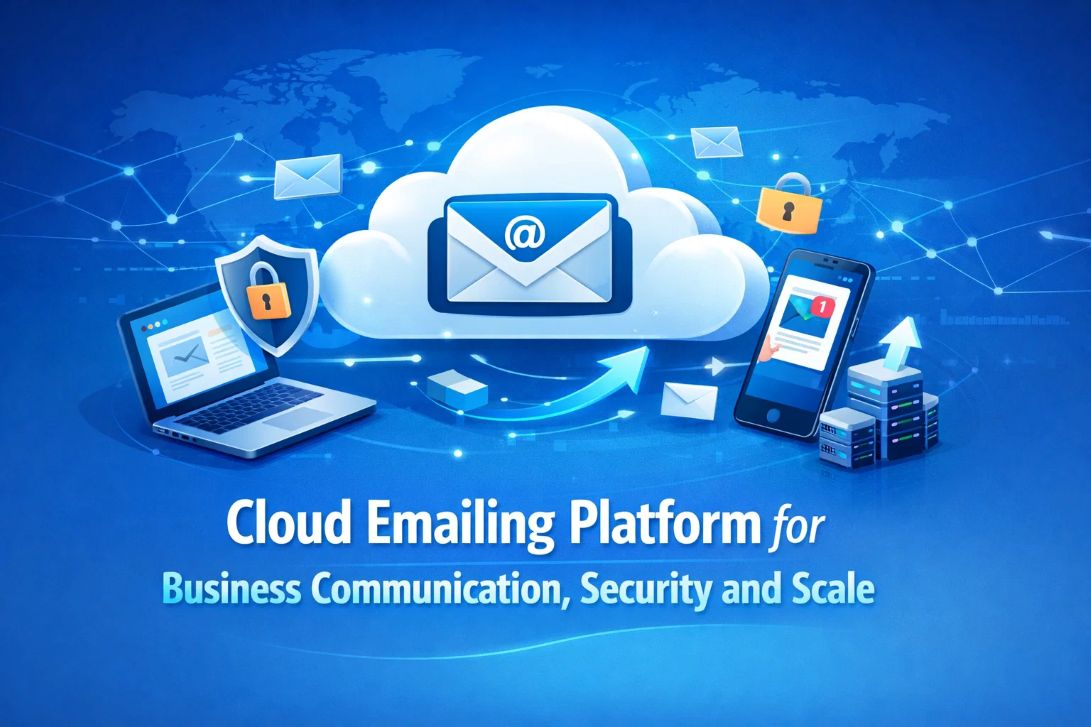
A cloud emailing platform forms the backbone of modern business communication. It connects marketing, operations, and customer engagement into one reliable system that can send, track, and secure large volumes of messages without performance loss. Businesses use cloud email platforms to handle newsletters, transactional alerts, onboarding messages, and service notifications through a unified infrastructure.
As organizations grow, communication volume increases rapidly. A scalable cloud emailing system ensures consistent delivery, maintains sender reputation, and protects data integrity. Security frameworks, automation, and monitoring tools help companies operate without interruption while meeting regulatory and technical standards.
A professional cloud emailing platform is not just about sending emails. It is about controlling communication quality, protecting business identity, and enabling long-term growth through dependable digital messaging.
A business cloud emailing platform supports multiple communication functions across departments. These functions determine how efficiently a company can interact with customers, employees, and partners. Understanding these functions helps organizations select the right infrastructure for their operational and marketing needs.
The table below outlines the major communication uses and how they impact business performance.
| Communication Type | Primary Purpose | Typical Volume | Business Outcome |
|---|---|---|---|
| Promotional campaigns | Marketing outreach | High | Lead generation |
| Transactional emails | System notifications | Medium-high | Customer trust |
| Internal messages | Employee communication | Medium | Workflow clarity |
| Customer support updates | Service information | Medium | Retention |
| Automated workflows | Trigger-based actions | High | Efficiency |
Businesses should use this table to map their own communication needs against volume and purpose. For example, an e-commerce company will rely heavily on transactional and promotional messaging, while a SaaS company will focus on automation workflows and internal updates.
By identifying which communication types dominate operations, companies can design their cloud email environment to prioritize performance, security, and monitoring where it matters most.
Performance Indicators That Measure Cloud Email Platform Reliability
Performance metrics determine whether a cloud emailing platform can handle business workloads without disruption. These indicators show how efficiently messages move through the system and how reliably they reach inboxes.
The following table highlights the technical and operational metrics used to evaluate a professional cloud email platform.
| Performance Metric | Description | Business Importance | Optimization Method |
|---|---|---|---|
| Delivery throughput | Emails per minute | Handles growth | Load balancing |
| Inbox placement | Spam vs inbox ratio | Revenue impact | Authentication |
| Latency | Sending speed | User experience | Smart routing |
| Uptime | Platform availability | Continuity | Redundant servers |
| Reporting accuracy | Data quality | Decision making | Real-time logs |
Companies should use this table to compare providers based on measurable performance rather than marketing claims. High throughput and inbox placement directly affect campaign success and customer communication reliability.
Monitoring these metrics continuously allows businesses to adjust sending behavior, content quality, and server configuration to maintain long-term sender reputation.
Security Architecture That Protects Business Email Communication
Security is a core requirement for any business communication platform. A cloud emailing platform must defend against spoofing, phishing, and unauthorized access while maintaining compliance with data protection standards.
The table below outlines the primary security layers found in enterprise-grade cloud email systems.
| Security Component | Function | Protection Level | Risk Prevented |
|---|---|---|---|
| Encryption | Secures content | High | Data theft |
| SPF authentication | Sender verification | High | Domain spoofing |
| DKIM signing | Message integrity | High | Tampering |
| DMARC policy | Domain enforcement | High | Brand misuse |
| Access controls | User permissions | Medium-high | Internal breaches |
Organizations should use this table as a checklist when deploying or auditing their cloud email system. Each component strengthens trust with mailbox providers and protects brand identity.
Implementing all layers together ensures that business communication remains confidential, authentic, and compliant with industry standards.
Server and DNS Configuration That Builds Email Trust and Deliverability
Server and DNS configuration establishes technical trust between businesses and mailbox providers. Without proper configuration, even legitimate emails risk being blocked or marked as spam.
The following table explains the major infrastructure elements involved in cloud email deployment.
| Configuration Element | Technical Role | Best Practice | Business Benefit |
|---|---|---|---|
| SMTP relay | Routes outgoing mail | Cloud-hosted | Reliability |
| SPF record | Authorizes IPs | Strict entries | Deliverability |
| DKIM keys | Digital signature | 2048-bit | Trust |
| DMARC rules | Domain policy | Quarantine/Reject | Brand safety |
| Reverse DNS | IP identity | Matching hostname | Reputation |
Businesses should follow this table during onboarding and whenever new domains or IPs are added. Each configuration layer improves sender credibility and reduces delivery errors.
Using this structured approach helps technical teams deploy email systems without gaps that could harm communication performance.
Bulk Email Campaign Capabilities That Drive Business Growth
Bulk email campaigns require precise control, segmentation, and monitoring. A cloud emailing platform enables businesses to manage large audiences without losing personalization or performance.
The table below shows the essential bulk campaign features and their impact.
| Feature Area | Operational Use | Impact on Results | Strategic Value |
|---|---|---|---|
| Audience segmentation | Target groups | Higher opens | Personalization |
| Scheduling engine | Timed delivery | Better response | Planning |
| Content personalization | User-level data | Conversions | Loyalty |
| A/B testing | Content testing | Optimization | Data growth |
| Reporting dashboards | Performance tracking | ROI | Strategy control |
Companies should use this table to design their campaign workflows. Each feature supports data-driven communication and ensures that campaigns remain relevant to recipients.
When these features work together, bulk email becomes a scalable revenue and engagement channel instead of a generic broadcast tool.
Automation Workflows That Replace Manual Communication Tasks
Automation reduces human error and increases consistency across business messaging. A cloud emailing platform enables workflows triggered by user actions or system events.
The table below illustrates common automation use cases and their benefits.
| Automation Function | Trigger Event | Business Use | Efficiency Gain |
|---|---|---|---|
| Welcome sequence | New signup | Onboarding | Time savings |
| Abandoned cart | Purchase delay | Recovery | Revenue boost |
| Renewal reminder | Subscription expiry | Retention | Churn control |
| Event alert | System activity | Notifications | Accuracy |
| Feedback request | Transaction complete | Engagement | Insights |
Businesses should use this table to identify where automation can replace repetitive communication. This improves response speed and ensures consistent customer experiences.
Over time, automation strengthens brand perception and reduces operational workload.
Business Problems Solved Through Cloud Email Platforms
Every organization faces communication challenges related to security, performance, and engagement. A cloud emailing platform provides structured solutions.
| Business Challenge | Root Cause | Resolution Strategy | Outcome |
|---|---|---|---|
| Low inbox delivery | Weak authentication | DNS setup | Higher reach |
| Security incidents | Poor controls | Access management | Data safety |
| Downtime | Local servers | Cloud migration | Stability |
| Low engagement | Generic messaging | Segmentation | Higher CTR |
| Compliance risk | No monitoring | Audit tools | Legal safety |
This table helps businesses diagnose their current email issues and apply targeted solutions using cloud technology.
Addressing each problem systematically improves both technical performance and customer trust.
Industry Applications of Cloud Email Communication Systems
Different industries use cloud emailing platforms in unique ways depending on their operational needs.
| Industry | Primary Use | Result | Advantage |
|---|---|---|---|
| E-commerce | Order updates | Trust | Loyalty |
| SaaS | User notifications | Adoption | Reduced churn |
| Finance | Statements | Security | Compliance |
| Education | Alerts | Engagement | Communication control |
| Healthcare | Appointments | Reliability | Patient satisfaction |
Businesses can use this table to model communication strategies based on industry practices and proven outcomes.
Why Inboos Is the Preferred Cloud Emailing Platform for Businesses
Inboos delivers a unified cloud emailing platform designed for business communication, security, and scale. It supports bulk campaigns, transactional messaging, automation workflows, and domain management within a single secure system.
Organizations use Inboos to gain centralized control, reliable inbox delivery, and actionable performance insights. The platform simplifies complex email deployment while maintaining enterprise-grade security standards.
By choosing Inboos, businesses strengthen their communication infrastructure, protect brand reputation, and enable sustainable growth through professional email operations.
📩 Have Questions or Need Expert Help?
Our team is here to make your email marketing, bulk emailing, and mass emailing effortless and effective.
🚀 Let’s boost your deliverability, scale your outreach, and unlock better results!
👉 📌 Contact Us Today
🔗 Explore More from Inboos
| Key Services & Features | Resources & Support |
|---|---|
| ✅ About Us | ✅ Contact Us |
| ✅ Email Advertising | ✅ Testimonials |
| ✅ Effective Email Marketing | ✅ Help Center |
| ✅ CRM Email Marketing | ✅ FAQs |
| ✅ Condition‑Based Campaigns | ✅ Inboos Guide |
| ✅ Batch Email Sender | ✅ Email Deployment Service |
| ✅ Affordable Email Marketing | ✅ Email Deliverability |
| ✅ Advanced Mass Sender | ✅ Email Campaigns |
| ✅ Transactional Email API | ✅ Pricing Plans |
| ✅ Newsletter Campaigns | ✅ Inbox Rotation |
| ✅ Mass Email Marketing | ✅ Email Marketing in Digital Marketing |